
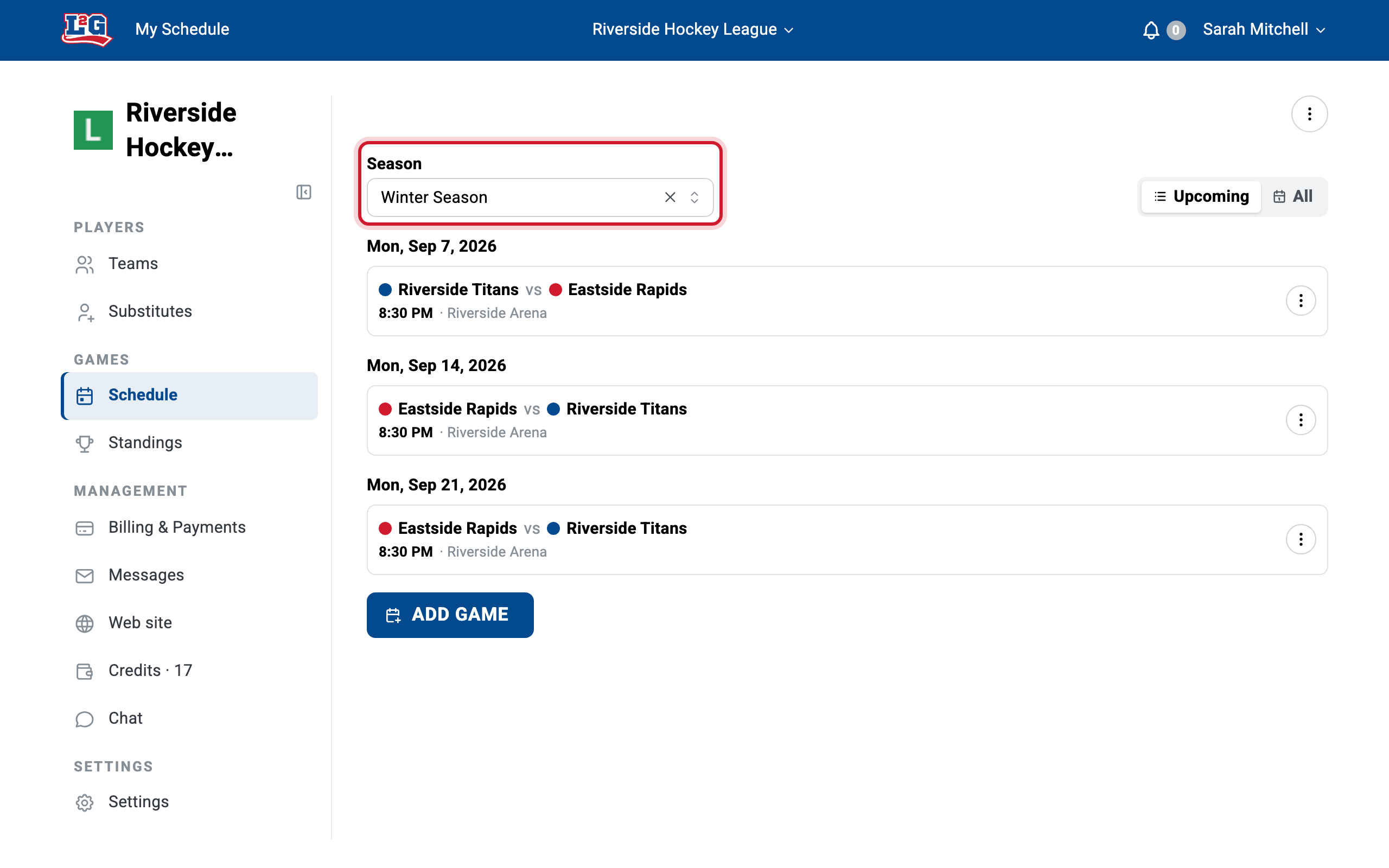
Seasons group your league’s games, standings, and statistics. Each season has a start and end date. Standings and statistics open on the current season, so they start fresh each year. The schedule opens on All seasons; pick a season and it only shows the games inside that season’s dates.
“My games disappeared”
If you picked a season and games are missing from your schedule, the season filter is the reason: those games fall outside that season’s dates. Nothing is deleted; the games are only hidden.
To see them again, do one of the following:
- Show every season: click Show all seasons above the list, or the X beside the season name. The schedule goes back to All seasons.
- Extend the season dates: in your league settings, edit the season so its start and end dates cover the games’ dates.
Creating a season
To create a season, go to Settings > Season list. Add a season with a name and its start and end dates. All games whose date falls within that range belong to the season.
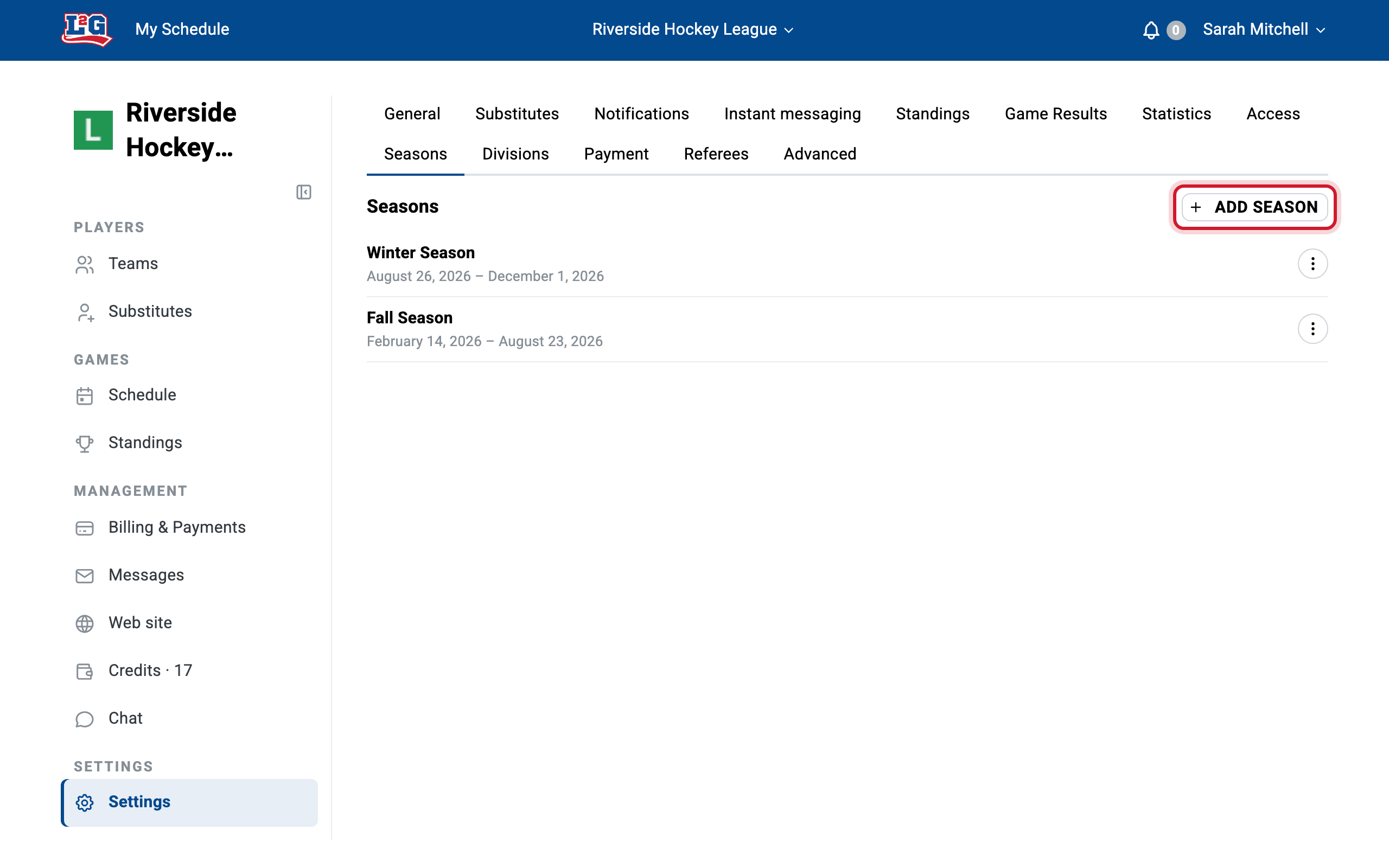
Make sure the date range actually covers all the games you plan to schedule. See “My games disappeared” above.
Starting a new season each year
Create a new season in your league settings at the start of each year (or session). Standings and statistics are calculated per season, so the new season starts fresh at zero.
Previous seasons are never lost: the old seasons and their standings and statistics are kept, and you can view them at any time by selecting a past season from the drop-down menu.
For more on how results feed standings and statistics, see results, standings and statistics.
Playoffs
To keep playoff standings and statistics separate from the regular season, create the playoffs as their own season. Give it a date range that does not overlap the regular season, so each game belongs to exactly one season.
Related articles
Questions? Contact us at info@league2go.com.