
Billing is the league’s ledger of what each player owes and has paid: no more paperwork to figure out who still owes you money. It tracks amounts inside League2GO; to actually collect money online, connect it with online payments.
Setting the season fee
Start by recording a season fee. This fee is added to every player of the season. Each player’s balance shows where they stand: green when the player owes nothing, red when they still owe money.
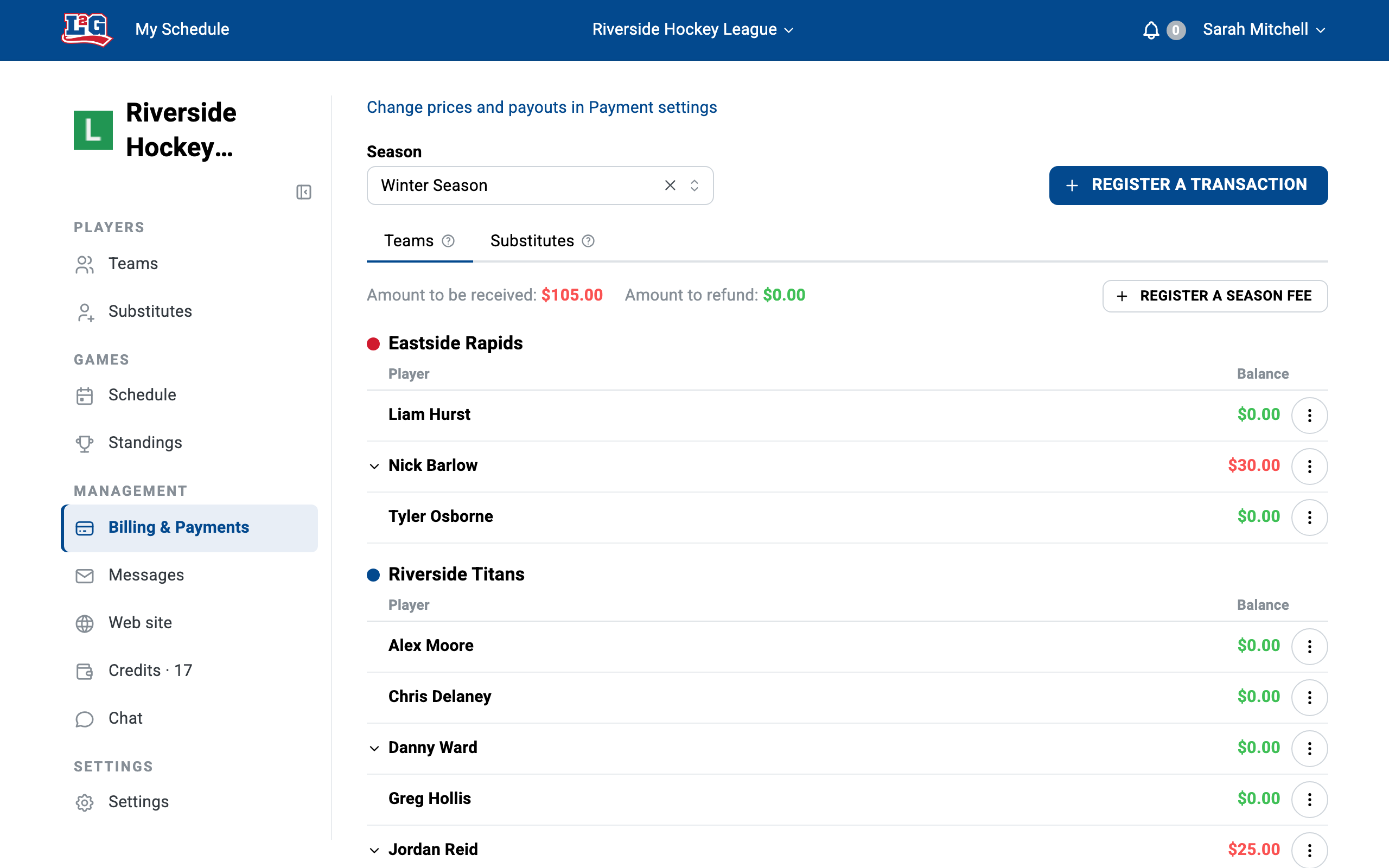
Recording transactions per player
Use the menu to the right of each player to record individual transactions:
- Fees: the player owes you money, which increases their balance.
- Payments: the player gives you money, which decreases their balance.
- Credits: you grant the player a credit, which decreases their balance.
- Refunds: you give money back to the player, which increases their balance.
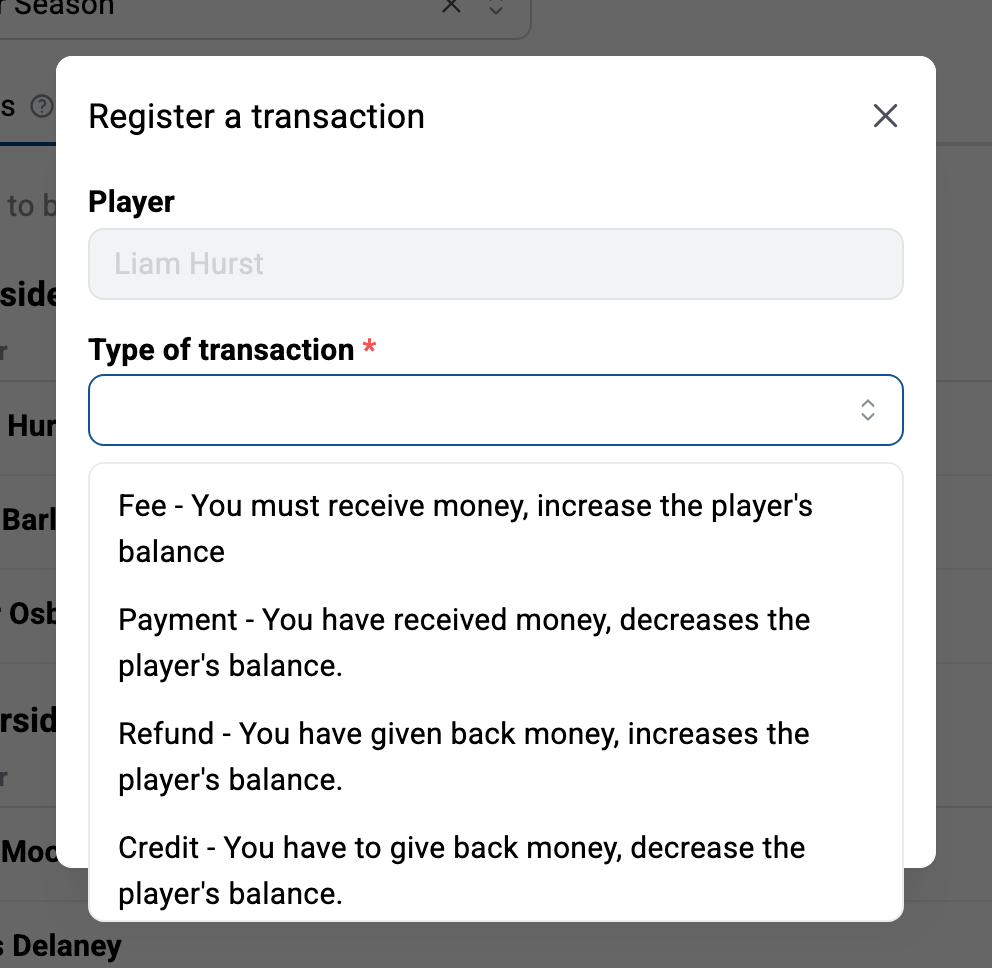
To record a transaction for all players at once, use the Save a transaction button in the menu at the top of the table (useful, for example, when a game is cancelled).
Tracking who owes what
The billing table gives you the live picture: every player’s fees, payments, and resulting balance for the season. Follow up with the red balances.
Seasons and balances
Billing is specific to each season you configure. When you start a new season, player balances reset and you record that season’s fee. See seasons.
Collecting payments online
Billing records the amounts; it does not move money by itself. If you set up online payments through your league’s Stripe account, players can pay their fees online and you avoid chasing cash and e-transfers. See online payments setup.
Questions? Contact us at info@league2go.com.